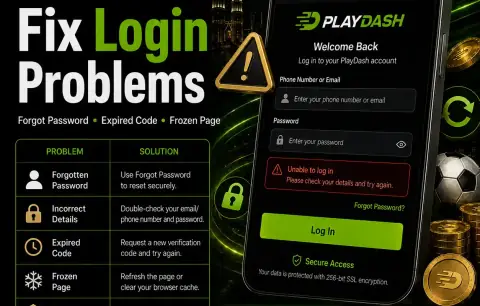
| "Incorrect details" after entering your password | A typo or caps lock; the browser autofilling an old password; logging in with the email when you registered with your phone number, or the other way round | Type the password by hand. Try the other contact. If it still fails, use the reset option on the login screen. |
| You can't remember the password | Forgotten or never saved after sign-up | Reset it from the login screen. The full PlayDash login and recovery guide walks through each recovery screen. |
| Confirmation code never arrives or has expired | A delayed message, a mistyped number or email, a filtered inbox, or a code that has already expired | Wait a minute, check spam or blocked-SMS folders, confirm the contact you entered, then request a fresh code. |
| Page stays blank, spins or freezes | A weak connection, stale cached files or an outdated browser | Reload, switch between Wi-Fi and mobile data, then clear the browser cache using the device-by-device cache steps. |
| "Not available in your region" | You are in, or appear to be in, a restricted country: England, Scotland, Wales, Northern Ireland, Russia, India, USA | PlayDash is not offered in those places. Don't try to get around the restriction. |
| Logged in, but access is blocked and the balance is negative | A bet was revalued and left a shortfall; the operator says it may need to be deposited before access is restored | Ask Live Chat which bet was revalued and why before you add money. |
| Access is paused after you asked for a break | A cooling-off or self-exclusion period you set may still be running | That pause is working as intended. Ask Live Chat if you are unsure when it ends; see the responsible gambling guide for how the tools differ. |
| An old bookmark opens an unfamiliar page | The saved address is out of date, or the link came from an unofficial source | Don't enter your details there. Open PlayDash from the Log in button on this guide or from the official Telegram channel. |
| Login works, but a withdrawal asks for documents | Identity verification (KYC) has not been completed yet | Upload the documents listed in the verification section. |